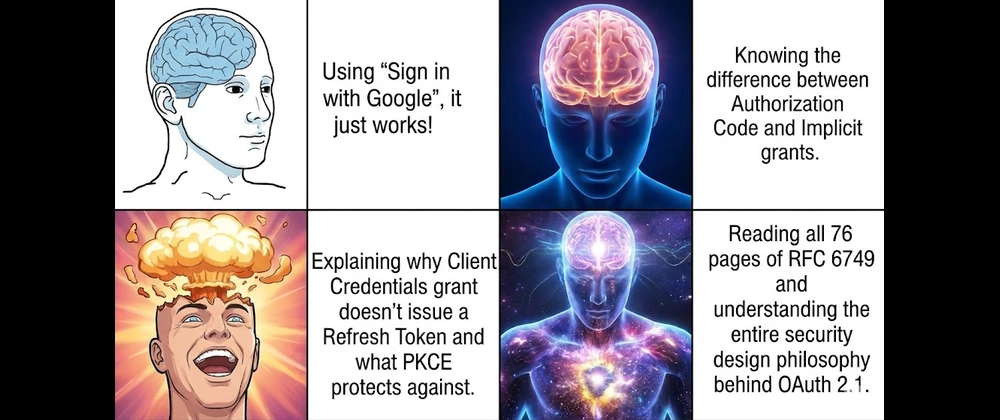
기술 블로그나 이력서를 보면 소셜 로그인을 개발한것을 보고 OAuth 2.0 개발을 했다는 글을 많이 보았다.
하지만 MBTI 의 T 로서는 정정할 필요가 있다고 생각한다.
소셜로그인을 개발한다는것은 OAuth 2.0 을 사용한 인증서버에 "Google로 로그인", "GitHub으로 로그인" 버튼을 만들어 연결만 한것이다.
이러한 소셜로그인은 Passport.js 같은 라이브러리를 사용해서 쉽게 구현하지만, 라이브러리를 사용하지 않아도 충분히 쉽게 구현이 가능하다. 의외로 OAuth 2.0 프로토콜을 준수하면서 Node.js와 Express만으로 순수하게 OAuth 2.0의 원리를 파헤치는건 복잡하고 어렵다.
OAuth 2.0 이란
OAuth 2.0(RFC 6749)은 인가(Authorization)를 위한 표준 프로토콜이다. 설명하자면 , "내 서비스(Client)가 사용자를 대신해서 타사 서비스(Google, GitHub 등)의 기능이나 데이터에 접근할 수 있는 권한을 위임받는 과정" 을 정의한 규칙이다. 그래서 우리 서비스는 사용자의 직접적인 개인정보를 가지고 있지 않기 때문에 개인정보, 보안에 안전하다는 말이 따라오는게 이러한 이유이다.
OAuth 2.0 을 비유할 떄 '발렛 파킹' 이 사용된다.
- 차를 주차 요원에게 맡길 때, 트렁크나 글로브 박스는 열 수 없고 오직 '운전'만 가능한 발렛 키(Valet Key)를 준다.
- 여기서 발렛 키가 바로 OAuth 2.0의 Access Token이다. 모든 권한(ID/PW)을 넘기지 않고, 필요한 권한인 일부 리소스 접근만 부여하는 것이 포인트이다.
OAuth 2.0의 4가지 핵심 역할
RFC 6749 명세서에 따르면 OAuth 2.0은 다음 4가지 역할을 정의한다.
https://datatracker.ietf.org/doc/html/rfc6749#section-1.1
RFC 6749: The OAuth 2.0 Authorization Framework
The OAuth 2.0 authorization framework enables a third-party application to obtain limited access to an HTTP service, either on behalf of a resource owner by orchestrating an approval interaction between the resource owner and the HTTP service, or by allowi
datatracker.ietf.org
- Resource Owner (자원 소유자): 사용자(나)이다. 내 데이터에 대한 접근 권한을 부여할 수 있는 주체이다.
- Client (클라이언트): 우리가 지금 만들고 있는 웹 서비스이다. Resource Owner를 대신해 자원에 접근하려고 한다.
- Authorization Server (인가 서버): 사용자를 인증하고, 권한을 확인한 뒤 Client에게 Access Token을 발급해 주는 서버이다.(ex. Google/GitHub의 로그인 서버)
- Resource Server (자원 서버): 사용자의 데이터가 실제로 저장되어 있는 서버입니다. Access Token을 확인하고 데이터를 반환한다. (ex. Google Drive API, GitHub User API)
Authorization Server (인가 서버)
GitHub 나 Google이 제공하는 로그인 서버를 구현하자면 다음과 같이 개발할 수 있다.
이 서버는 포트 4000번에서 실행되며, 클라이언트의 요청을 받아 인가 코드를 발급하고, 코드를 확인한 뒤 액세스 토큰을 발급해 준다.
// auth-server.js
const express = require('express');
const app = express();
const PORT = 4000;

app.use(express.urlencoded({ extended: true }));
app.use(express.json());

// 데이터베이스 역할을 하는 Map
const authCodes = new Map();
const accessTokens = new Map();

// 등록된 클라이언트 정보 (OAuth 클라이언트를 추가할떄 보면 client_id/client_secret 이 발급되는걸 볼 수 있다.
const REGISTERED_CLIENT = {
    id: 'my_client_id_123',
    secret: 'my_client_secret_456',
    redirectUri: 'http://localhost:3000/callback'
};

// 1. 인가 코드 요청 엔드포인트 (사용자에게 로그인/승인 화면 제공)
app.get('/oauth/authorize', (req, res) => {
    const { client_id, redirect_uri } = req.query;

    if (client_id !== REGISTERED_CLIENT.id || redirect_uri !== REGISTERED_CLIENT.redirectUri) {
        return res.status(400).send('잘못된 클라이언트 요청입니다.');
    }

    // 로그인 및 권한 승인 화면
    res.send(`
        <div style="text-align: center; margin-top: 50px;">
            <h2>내 서비스 계정으로 로그인</h2>
            <p><strong>${client_id}</strong> 애플리케이션이 당신의 프로필 정보에 접근하려고 합니다.</p>
            <form action="/oauth/approve" method="POST">
                <input type="hidden" name="redirect_uri" value="${redirect_uri}">
                <button type="submit" style="padding: 10px 20px; font-size: 16px;">권한 승인 및 로그인</button>
            </form>
        </div>
    `);
});

// 2. 사용자가 승인 버튼을 눌렀을 때 처리 (인가 코드 생성 및 리다이렉트)
app.post('/oauth/approve', (req, res) => {
    const { redirect_uri } = req.body;

    // 무작위 인가 코드(Authorization Code) 생성
    const code = 'code_' + Math.random().toString(36).substring(2, 10);

    // 발급한 코드를 임시 저장 (유효기간, 연결된 유저 정보 등 포함)
    // 'test_user'가 로그인했다고 가정
    authCodes.set(code, { user: 'test_user', expiresAt: Date.now() + 10 * 60 * 1000 });

    // 클라이언트의 콜백 URL로 코드를 담아 리다이렉트
    res.redirect(`${redirect_uri}?code=${code}`);
});

// 3. 토큰 발급 엔드포인트 (인가 코드를 Access Token으로 교환)
app.post('/oauth/token', (req, res) => {
    const { client_id, client_secret, code } = req.body;

    // 클라이언트 인증 및 코드 유효성 검사
    if (client_id !== REGISTERED_CLIENT.id || client_secret !== REGISTERED_CLIENT.secret) {
        return res.status(401).json({ error: 'invalid_client' });
    }

    const codeData = authCodes.get(code);
    if (!codeData || codeData.expiresAt < Date.now()) {
        return res.status(400).json({ error: 'invalid_grant', message: '유효하지 않거나 만료된 코드입니다.' });
    }

    // 검증이 끝난 인가 코드는 폐기 (보안상 1회용)
    authCodes.delete(code);

    // Access Token 생성
    const accessToken = 'token_' + Math.random().toString(36).substring(2, 15);
    accessTokens.set(accessToken, { user: codeData.user });

    // 토큰 발급
    res.json({
        access_token: accessToken,
        token_type: 'Bearer',
        expires_in: 3600
    });
});

// 4. 리소스 서버 (토큰을 이용해 유저 정보 반환)
app.get('/api/user', (req, res) => {
    const authHeader = req.headers['authorization'];
    if (!authHeader || !authHeader.startsWith('Bearer ')) {
        return res.status(401).json({ error: '인증 헤더가 없습니다.' });
    }

    const token = authHeader.split(' ')[1];
    const tokenData = accessTokens.get(token);

    if (!tokenData) {
        return res.status(401).json({ error: '유효하지 않은 토큰입니다.' });
    }

    // 토큰이 유효하면 해당 유저의 정보 반환
    res.json({
        id: 1,
        login: tokenData.user,
        name: '테스트 유저',
        email: 'test_user@example.com'
    });
});

app.listen(PORT, () => console.log(`[인가 서버] Running on http://localhost:${PORT}`));
인가 서버와 연동하는 클라이언트
3000번 포트에서 실행되는 서비스 클라이언트 코드를 작성한다. 위에서 만든 4000번 인가 서버와 통신하여 로그인을 수행하고 내장 fetch API와 express 만을 사용한다.
// client-server.js
const express = require('express');
const app = express();
const PORT = 3000;

// 인가 서버 정보
const AUTH_SERVER = 'http://localhost:4000';
const CLIENT_ID = 'my_client_id_123';
const CLIENT_SECRET = 'my_client_secret_456';
const REDIRECT_URI = 'http://localhost:3000/callback';

// 1. 인가 코드 요청 (인가 서버 로그인 페이지로 리다이렉트)
app.get('/login', (req, res) => {
    const authUrl = `${AUTH_SERVER}/oauth/authorize?client_id=${CLIENT_ID}&redirect_uri=${REDIRECT_URI}`;
    res.redirect(authUrl);
});

// 2. 인가 코드를 받아 토큰으로 교환하는 콜백 엔드포인트
app.get('/callback', async (req, res) => {
    const code = req.query.code;

    if (!code) {
        return res.status(400).send('Authorization Code가 없습니다.');
    }

    try {
        // 3. 인가 코드를 사용해 Access Token 요청 (Server to Server)
        const tokenResponse = await fetch(`${AUTH_SERVER}/oauth/token`, {
            method: 'POST',
            headers: {
                'Content-Type': 'application/json'
            },
            body: JSON.stringify({
                client_id: CLIENT_ID,
                client_secret: CLIENT_SECRET,
                code: code
            })
        });

        const tokenData = await tokenResponse.json();

        if (tokenData.error) {
            return res.status(400).send(`토큰 발급 실패: ${tokenData.error}`);
        }

        const accessToken = tokenData.access_token;

        // 4. 발급받은 Access Token으로 리소스 서버에 사용자 정보 요청
        const userResponse = await fetch(`${AUTH_SERVER}/api/user`, {
            headers: {
                'Authorization': `Bearer ${accessToken}`
            }
        });

        const userData = await userResponse.json();

        // 5. 로그인 성공 처리
        res.send(`
            <h1>로그인 성공!</h1>
            <p>환영합니다, <strong>${userData.name}</strong> (${userData.email})님!</p>
            <hr>
            <p style="color: gray;">발급된 Authorization Code (1회용): ${code}</p>
            <p style="color: gray;">발급된 Access Token: ${accessToken}</p>
        `);

    } catch (error) {
        console.error('OAuth 처리 중 에러 발생:', error);
        res.status(500).send('서버 내부 에러');
    }
});

app.listen(PORT, () => {
    console.log(`[클라이언트 서버] Running on http://localhost:${PORT}`);
    console.log(`로그인 테스트 시작: http://localhost:${PORT}/login`);
});
Authorization Code Grant (인가 코드 승인 방식)
OAuth 2.0에는 여러 가지 권한 부여 방식(Grant Type)이 있지만, 웹 애플리케이션에서 가장 널리 쓰이고 보안상 안전한 Authorization Code Grant 방식을 구현해 보았다.
워크플로우
- 사용자가 '로그인' 버튼을 누르면 인가 서버로 리다이렉트 된다.
- 사용자가 로그인을 하고 권한 부여를 승인한다.
- 인가 서버는 사용자를 다시 우리 서비스로 리다이렉트 시키며, URL 파라미터로 인가 코드(Authorization Code)를 전달한다.
- 우리 서비스(서버)는 이 인가 코드를 인가 서버로 보내고, 최종적으로 Access Token을 발급받습니다.
- 발급받은 Access Token을 이용해 자원 서버에서 사용자 정보를 가져옵니다.
Node.js + Express 로 구현 예제
외부 라이브러리(axios, passport 등) 없이, Node.js 18 이상에 내장된 fetch API와 express만 사용하여 GitHub OAuth 2.0을 구현하면 다음과 같다.
(※ 테스트를 위해 사전에 GitHub Developer Settings에서 OAuth App을 생성하고 Client ID와 Client Secret을 발급받아야 함)
기본 서버 세팅 및 로그인 요청 (Step 1)
// server.js
const express = require('express');
const app = express();
const PORT = 3000;

// GitHub OAuth App 설정
const CLIENT_ID = 'GITHUB_CLIENT_ID';
const CLIENT_SECRET = 'GITHUB_CLIENT_SECRET';
const REDIRECT_URI = 'http://localhost:3000/callback';

// 인가 코드 요청 (GitHub 로그인 페이지로 리다이렉트)
app.get('/login', (req, res) => {
    // 요청할 권한(scope)을 명시한다. 현재는 사용자 프로필 읽기 권한만 요청
    const scope = 'read:user';
    const authUrl = `https://github.com/login/oauth/authorize?client_id=${CLIENT_ID}&redirect_uri=${REDIRECT_URI}&scope=${scope}`;

    // 사용자를 GitHub 인가 서버로 보낸다.
    res.redirect(authUrl);
});
인가 코드 교환 및 사용자 정보 조회 (Step 2 ~ 5)
// 2. GitHub에서 인가 코드를 포함하여 리다이렉트 해주는 콜백 엔드포인트
app.get('/callback', async (req, res) => {
    const code = req.query.code; // URL 쿼리 파라미터에서 인가 코드를 추출

    if (!code) {
        return res.status(400).send('Authorization Code가 없습니다.');
    }

    try {
        // 3. 인가 코드를 사용해 Access Token 요청 (Server to Server)
        const tokenResponse = await fetch('https://github.com/login/oauth/access_token', {
            method: 'POST',
            headers: {
                'Content-Type': 'application/json',
                'Accept': 'application/json' // GitHub API의 경우 JSON 응답을 위해 Accept 헤더 필수
            },
            body: JSON.stringify({
                client_id: CLIENT_ID,
                client_secret: CLIENT_SECRET,
                code: code,
                redirect_uri: REDIRECT_URI
            })
        });

        const tokenData = await tokenResponse.json();
        const accessToken = tokenData.access_token;

        if (!accessToken) {
            return res.status(401).send('Access Token 발급 실패');
        }

        // 4. 발급받은 Access Token으로 Resource Server(GitHub API)에 사용자 정보 요청
        const userResponse = await fetch('https://api.github.com/user', {
            headers: {
                'Authorization': `Bearer ${accessToken}`
            }
        });

        const userData = await userResponse.json();

        // 5. 로그인 성공 처리 (임시로 화면에 출력)
        res.send(`
            <h1>로그인 성공!</h1>
            <p>환영합니다, <strong>${userData.login}</strong>님!</p>
            <p>당신의 GitHub 프로필 URL: <a href="${userData.html_url}">${userData.html_url}</a></p>
            <hr>
            <p style="color: gray;">발급된 Access Token: ${accessToken}</p>
        `);

    } catch (error) {
        console.error('OAuth 처리 중 에러 발생:', error);
        res.status(500).send('서버 내부 에러');
    }
});

app.listen(PORT, () => {
    console.log(`Server is running on http://localhost:${PORT}`);
    console.log(`로그인 테스트: http://localhost:${PORT}/login`);
});
마무리하며
위 코드를 실행하고 http://localhost:3000/login 에 접속하면, 우리 서버가 GitHub로 리다이렉트를 수행하고, 사용자가 권한을 승인하면 다시 우리 서버의 /callback으로 돌아와 서버 단에서 토큰을 교환하는 전체 흐름을 눈으로 확인할 수 있다.
라이브러리를 쓰면 단 몇 줄로 끝나는 작업이지만, 이렇게 직접 프로토콜의 스펙대로 HTTP 요청을 보내보니 인가 코드(Code)와 액세스 토큰(Token)의 분리 이유를 알 수 있다. 인가 코드는 브라우저(Front-end)를 통해 노출될 수 있지만, 최종 권한인 Access Token은 철저하게 서버 대 서버 통신으로만 교환되기 때문에 보안성이 높다.
'임시보관 > 로그인 서비스' 카테고리의 다른 글
| [인증] - 패스키(Passkey) 인증의 마지막?.. (0) | 2024.02.26 |
|---|---|
| [인증] - FIDO와 WebAuthn의 동작 원리 (0) | 2024.02.26 |
| [인증]: OpenId Connect (OIDC) Protocol And JWTs (0) | 2024.02.26 |


